
The shape of the Zap
Four steps, mirroring the n8n flow: catch the webhook, keep only images, fetch the file from ChatRail with your API key, then upload it. Zapier cannot attach an auth header to a storage app's own “upload from URL” field, so the fetch is an explicit step whose file output feeds the upload.
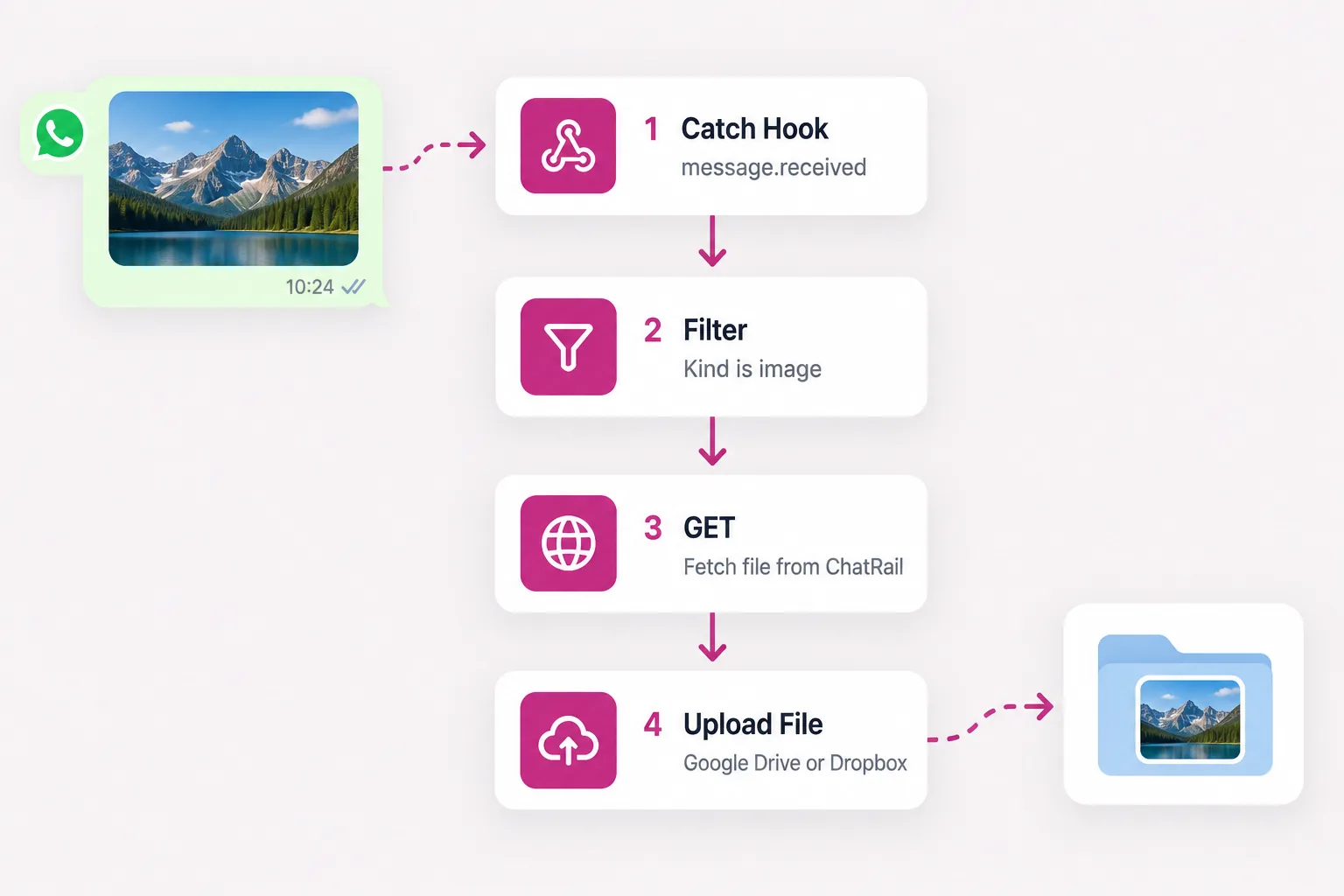
1 · Catch the webhook
Add a Webhooks by Zapier trigger, event Catch Hook, and copy the custom webhook URL. Register it with ChatRail for message.received:
curl -X POST https://www.chatrail.dev/v1/webhook-endpoints \
  -H "Authorization: Bearer $CHATRAIL_API_KEY" \
  -H "Content-Type: application/json" \
  -d '{
    "url": "https://hooks.zapier.com/hooks/catch/000000/abcdef/",
    "events": ["message.received"]
  }'
Send a photo to the linked number so Zapier captures a sample. The event fields are nested under data — data.kind, data.media.download_url and, for a group, data.from.group.
2 · Keep only images
Add a Filter by Zapier step: continue only when Data Kind (text) exactly matches image. Add a second condition on Data Media Download Url (exists) so a file the transport will not serve is skipped. To limit it to one group, add Data From Group exactly matches your group id (from the groups endpoint).
3 · Fetch the file from ChatRail
Add an action step, Webhooks by Zapier → GET. Point it at the download URL and send your API key as a header. Zapier returns the response as a file object you can pass to the upload step.
URL
  https://www.chatrail.dev{{data__media__download_url}}

Headers
  Authorization | Bearer YOUR_CHATRAIL_API_KEY
The {{data__media__download_url}} token is the path from the trigger; prefixing the API base makes it absolute. Keep the key in the header, never in the URL.
4 · Upload to Google Drive or Dropbox
Add the storage step and use the file from step 3.
- Google Drive → Upload File: set File to the GET step's file output, name it (for example
whatsapp-{{zap_meta_human_now}}.jpg) and pick or create a folder. - Dropbox → Upload File: set File to the same output and give a Path like
/WhatsApp images/; Dropbox creates the folder.
Turn the Zap on and share a photo in the group to confirm it lands in storage.
Notes
ChatRail signs webhooks, but a Catch Hook cannot verify an HMAC on its own; if you need verification, do it in a Code by Zapier step over the raw body, or keep the Catch Hook URL secret and rely on it being unguessable. An outbound attachment has no download_url — this Zap only ever fires on inbound media.