
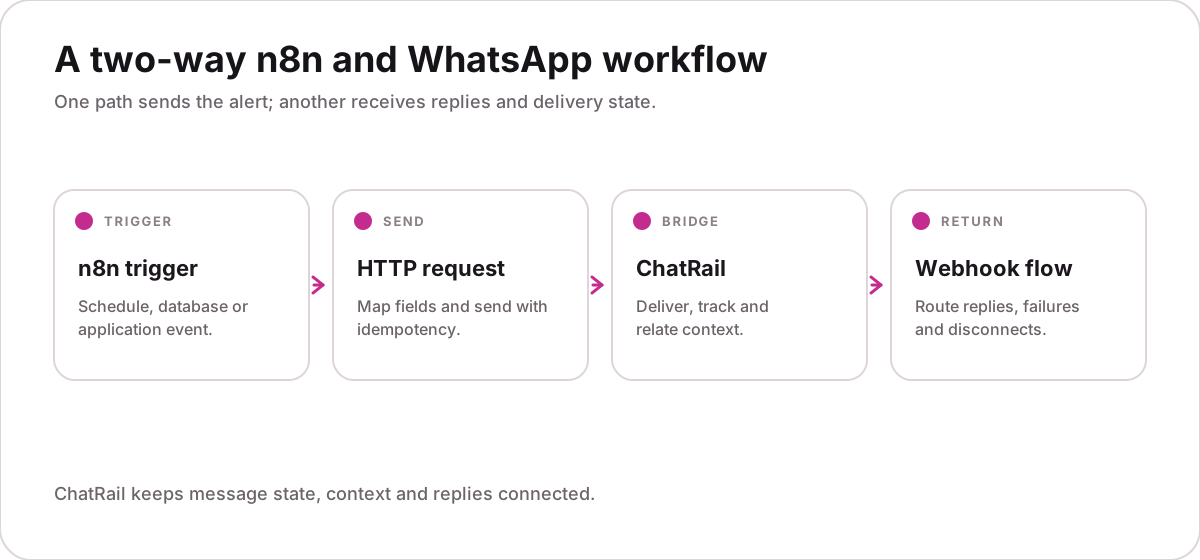
Prepare credentials safely
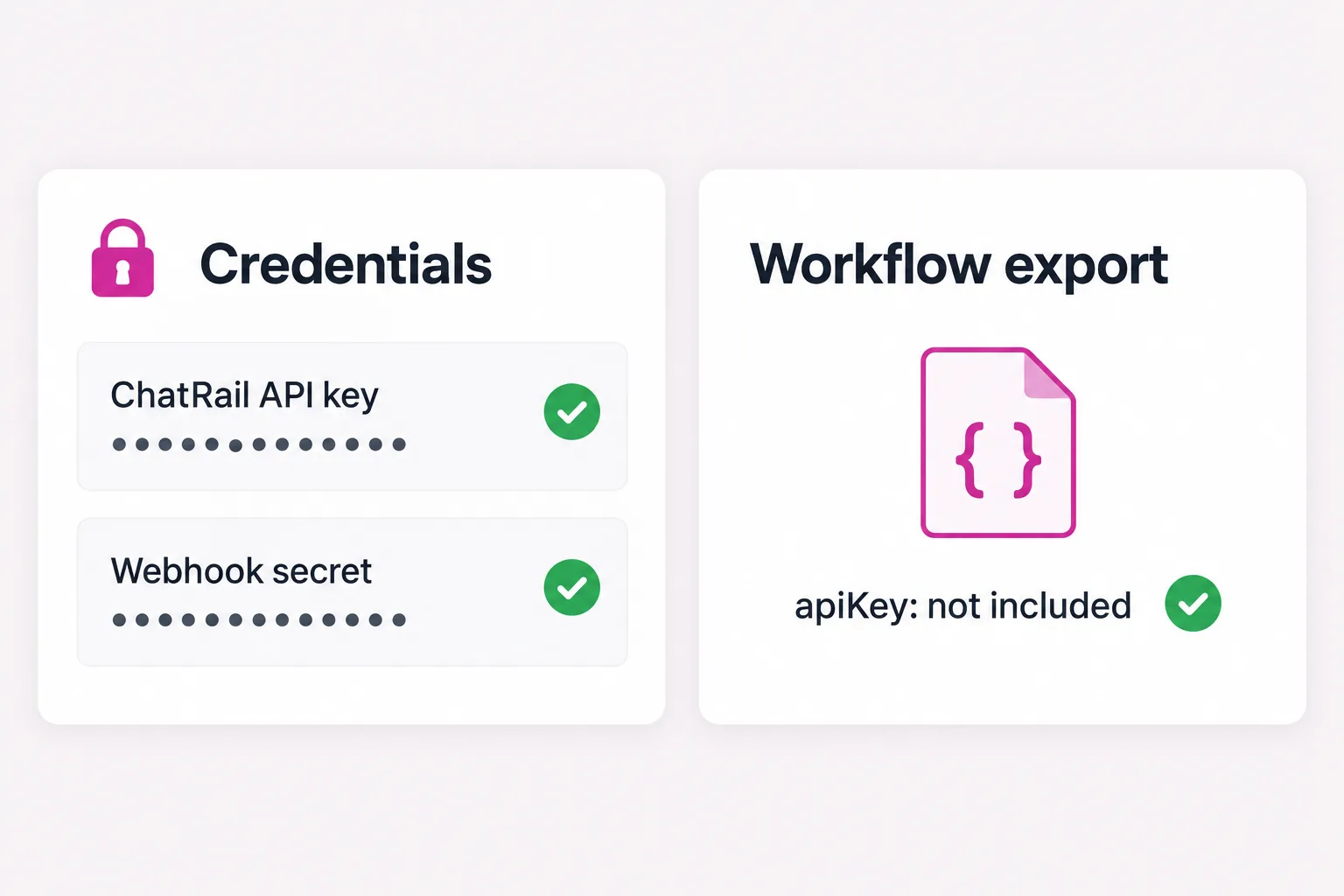
Create a workspace-scoped API key and store it in n8n credentials—not inside a node, exported workflow or browser-visible field. Use separate keys for test and production.
Choose a deterministic trigger
Start with a webhook, schedule or application event that includes a stable event ID. Normalize the phone number and validate required fields before the send node.
Configure the HTTP request
Use the ChatRail messaging endpoint with an authorization header and a deterministic idempotency key. Pass the customer-facing copy separately from structured context.
{
  "connection": "operations",
  "to": "{{$json.phone}}",
  "body": "{{$json.message}}",
  "context": {
    "event_id": "{{$json.event_id}}",
    "type": "{{$json.type}}"
  }
}Receive replies in a second workflow
Expose an n8n webhook for ChatRail events, verify the signature before routing and branch on event type. Keep the endpoint private from workflow editors who do not need production access.
Design the error route
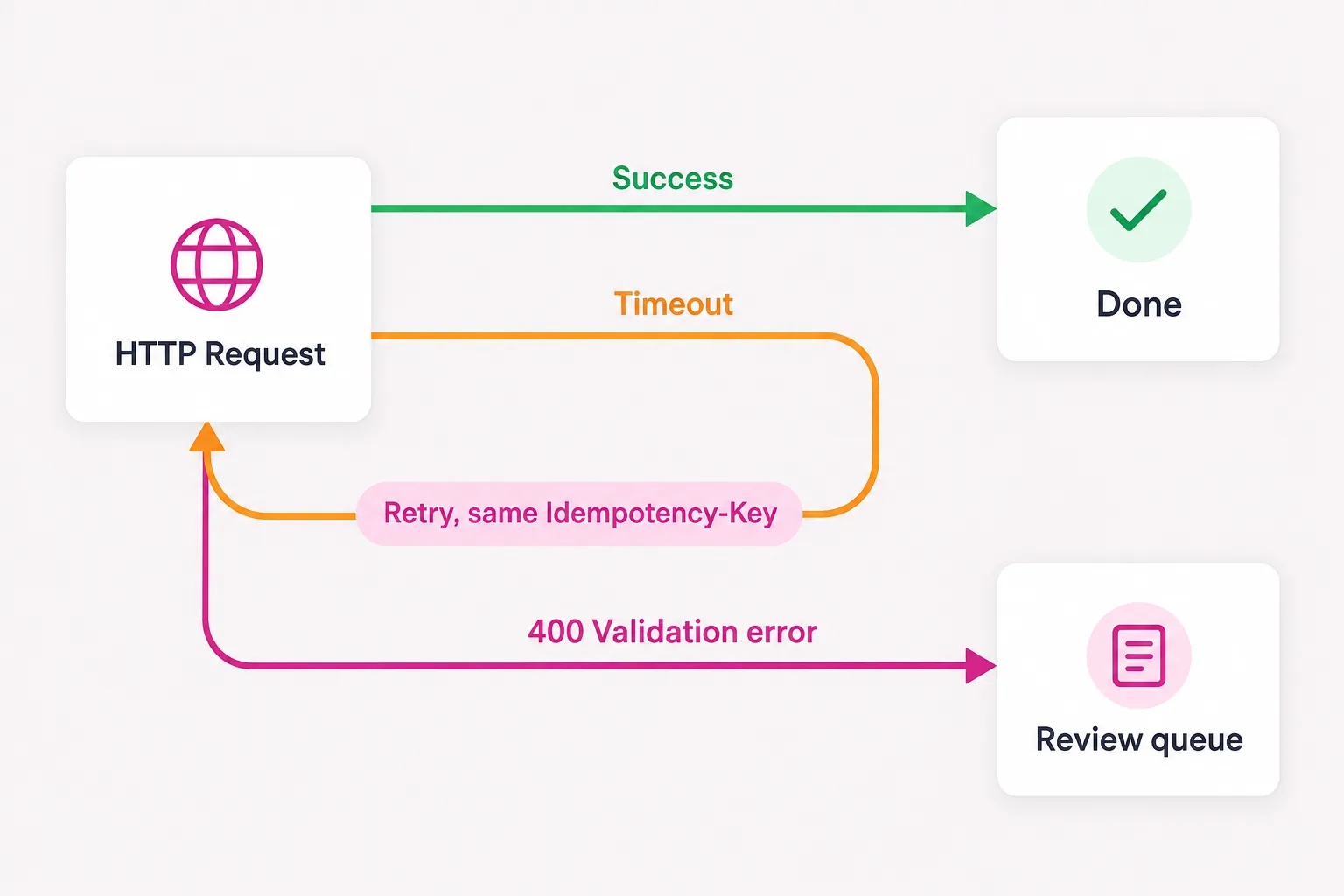
Treat timeouts as unknown outcomes and retry with the same idempotency key. Send permanent validation errors to a review queue instead of retrying forever.
That converts a recoverable timeout into duplicate customer messages.
Activate with a controlled test
Run the workflow with one allow-listed number, confirm the reply webhook, then test a timeout and a disconnected session before increasing traffic.
- Credentials are not in exports
- Phone input is validated
- Replies reach the correct run
- Retries remain idempotent