
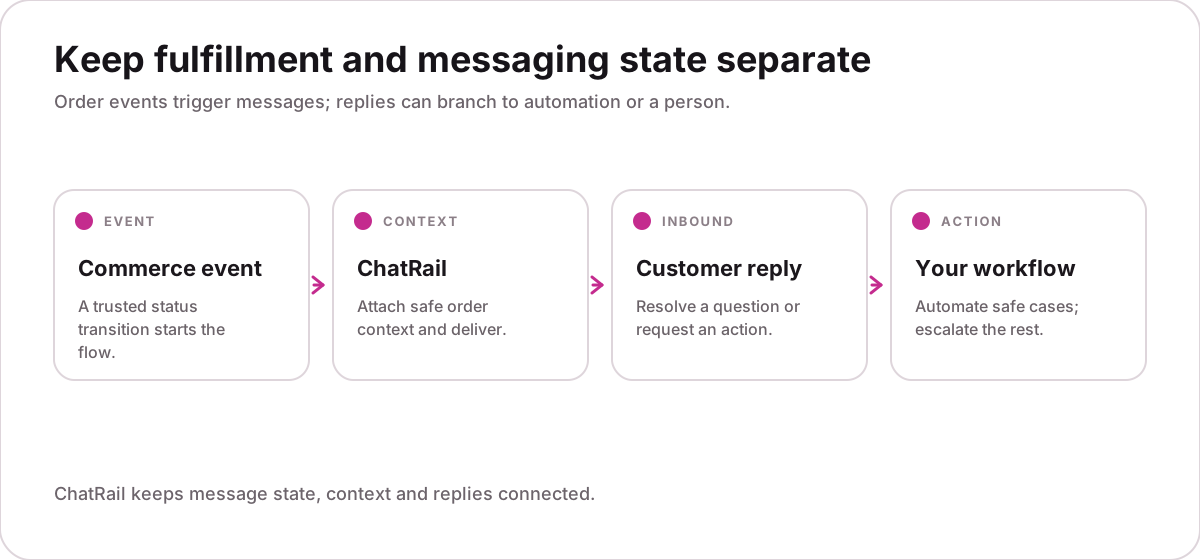
Start from a trusted order event
Your commerce system remains the source of truth. Send only after it confirms a real transition such as order.dispatched, and persist the source event ID before making the API request.
Attach a small context contract
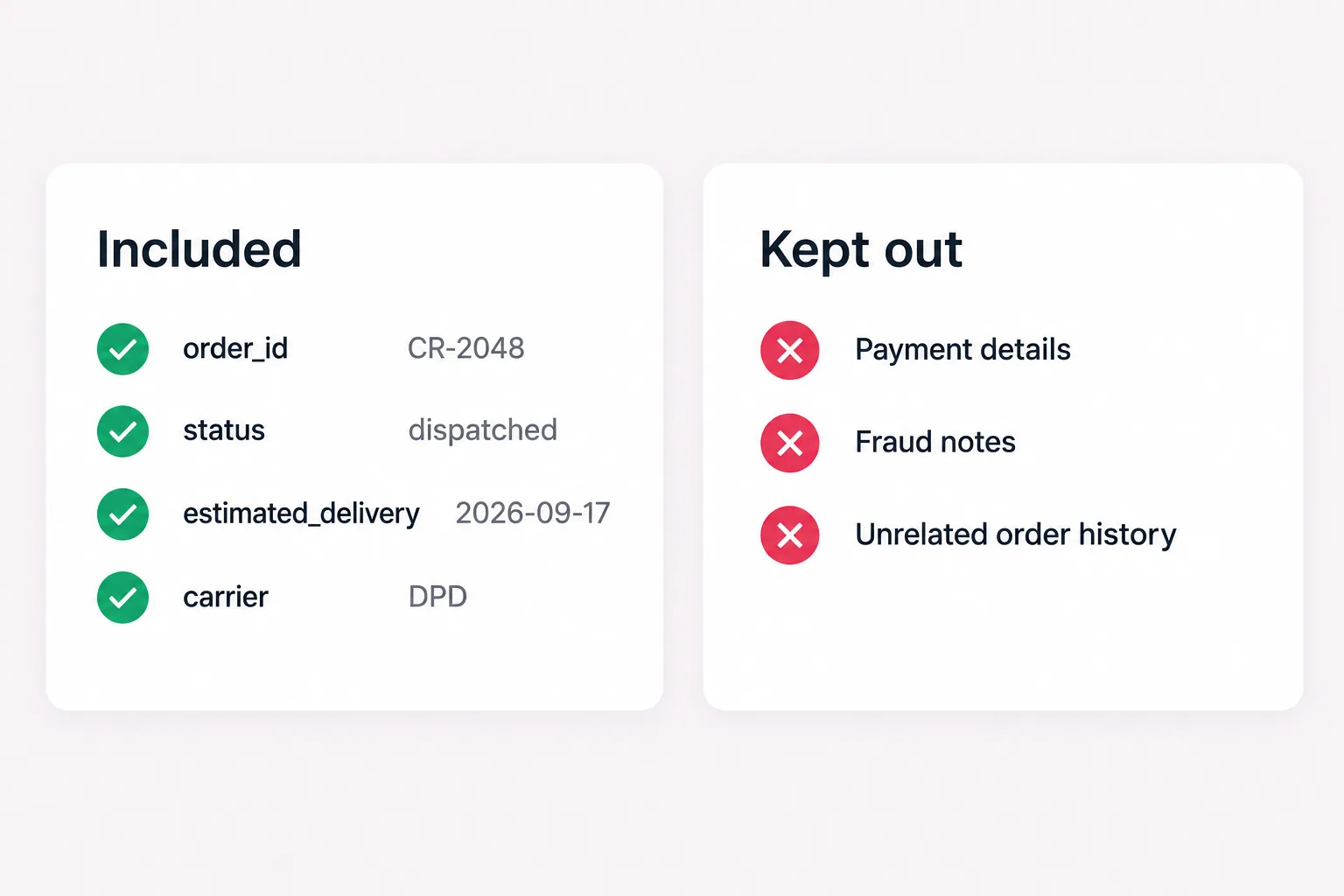
Include only facts a customer may ask about. Keep payment data, fraud notes and unrelated history out of the messaging boundary.
{
  "schema_version": 1,
  "order_id": "CR-2048",
  "status": "dispatched",
  "estimated_delivery": "2026-09-17",
  "address_change_allowed": false,
  "carrier": "Example Courier"
}
Send once, retry safely
Derive an idempotency key from the order revision and recipient. A network retry should return the original result instead of creating a second notification.
curl -X POST https://www.chatrail.dev/v1/messages/text \
  -H "Authorization: Bearer $CHATRAIL_API_KEY" \
  -H "Idempotency-Key: order-CR-2048-dispatched" \
  -H "Content-Type: application/json" \
  -d '{"connection":"studio-shop","to":"+14155550142",
"body":"Order CR-2048 has shipped. ETA: Thursday."}'Set boundaries for replies
Facts such as ETA and carrier can be answered from context. Refunds, cancellations and identity changes should enter an authenticated application flow or a human queue.
A WhatsApp reply alone should never approve a refund, address change or account-sensitive action.
Keep message and order state separate
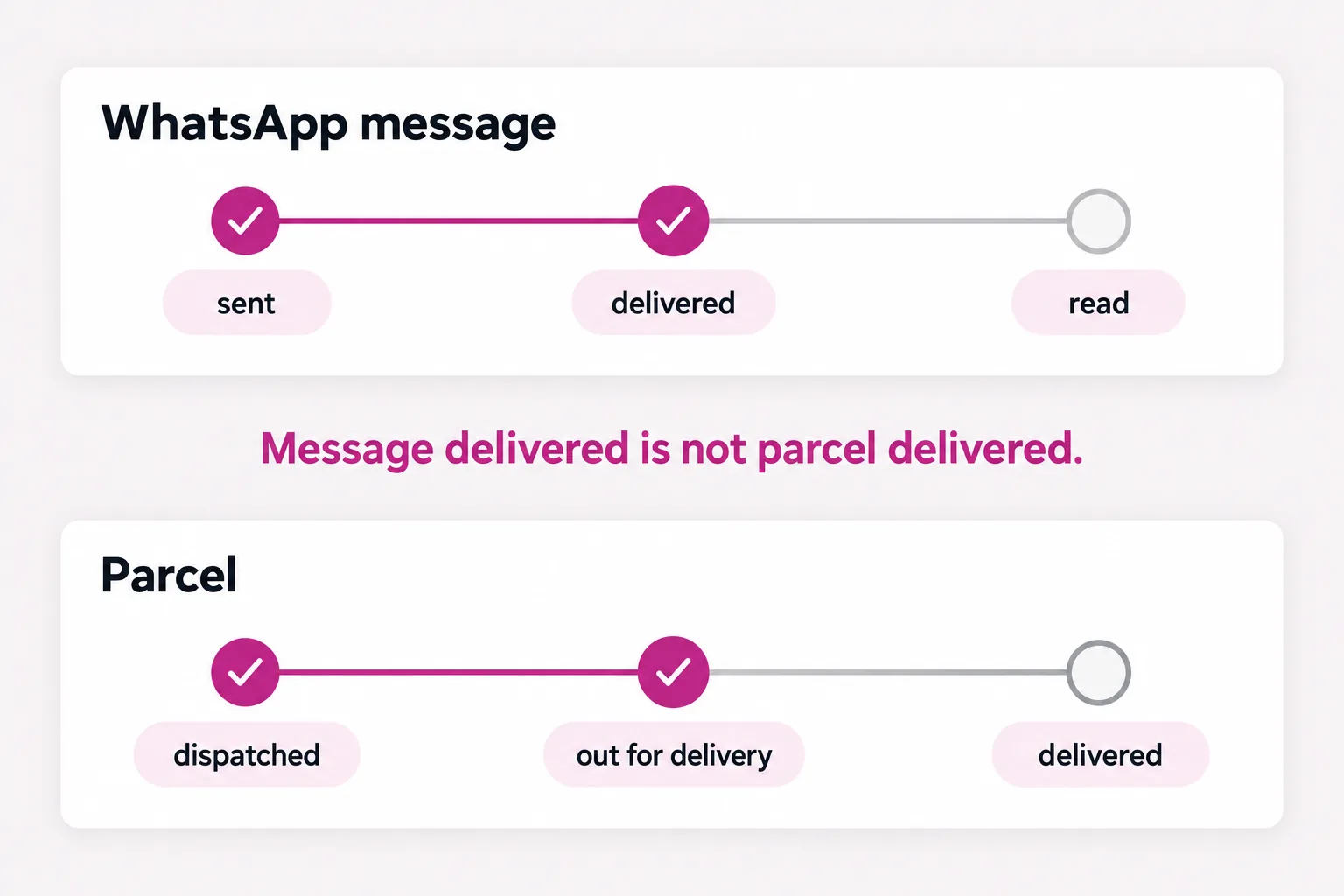
A WhatsApp delivered event confirms delivery to the account—not delivery of the parcel. Store messaging events separately and tolerate out-of-order status updates with monotonic transitions.
Test the failure paths
Repeat the same source event, deliver read before delivered, disconnect the linked device and request a restricted action. Each case should finish in a safe, observable state.
- Duplicate event creates one message
- Out-of-order status stays correct
- Disconnected session holds the send
- Restricted action escalates