
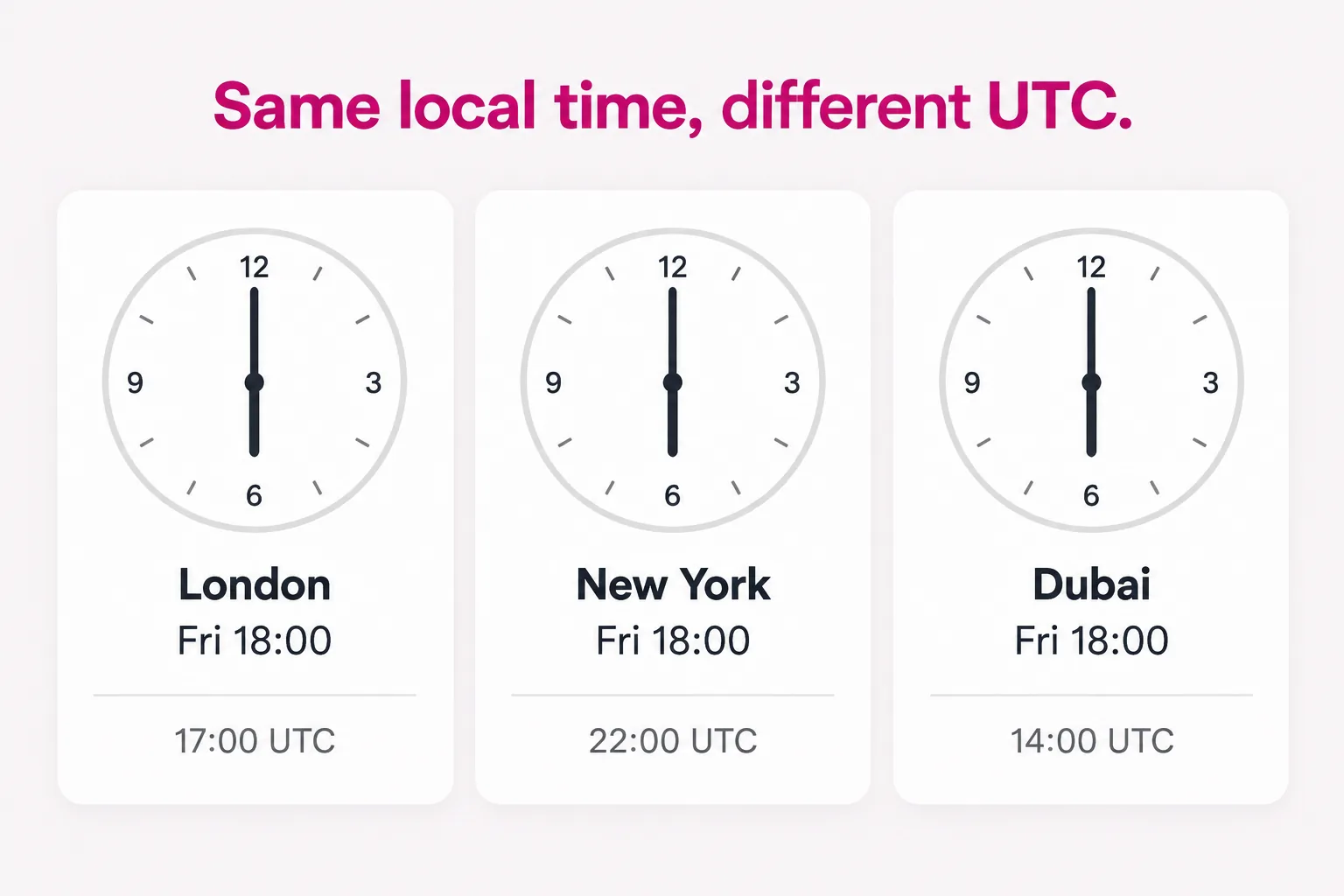
Define the delivery window
Store each recipient’s timezone and consented schedule. Compute the next send in UTC and protect the job with a unique recipient-period key so overlapping workers cannot send twice.
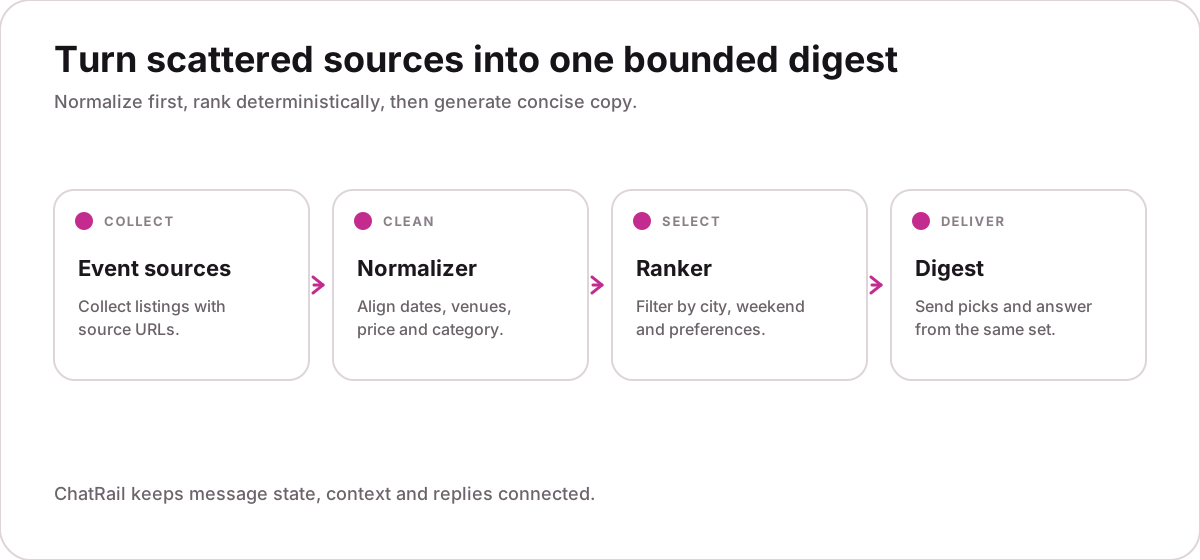
Select a bounded recommendation set
Rank candidates before calling ChatRail and cap the result count. Record the selection timestamp so later answers can distinguish the original snapshot from current availability.
Attach explainable context
Include stable IDs, concise reasons, URLs and observation times. Avoid passing full profiles, hidden ranking features or data that the recipient does not need.
{
  "digest_id": "wk-2026-37-user-42",
  "generated_at": "2026-09-12T14:00:00Z",
  "items": [
    {"id":"evt-81","title":"Riverside market",
     "starts_at":"2026-09-13T10:00:00-04:00"}
  ]
}Compose for scanning
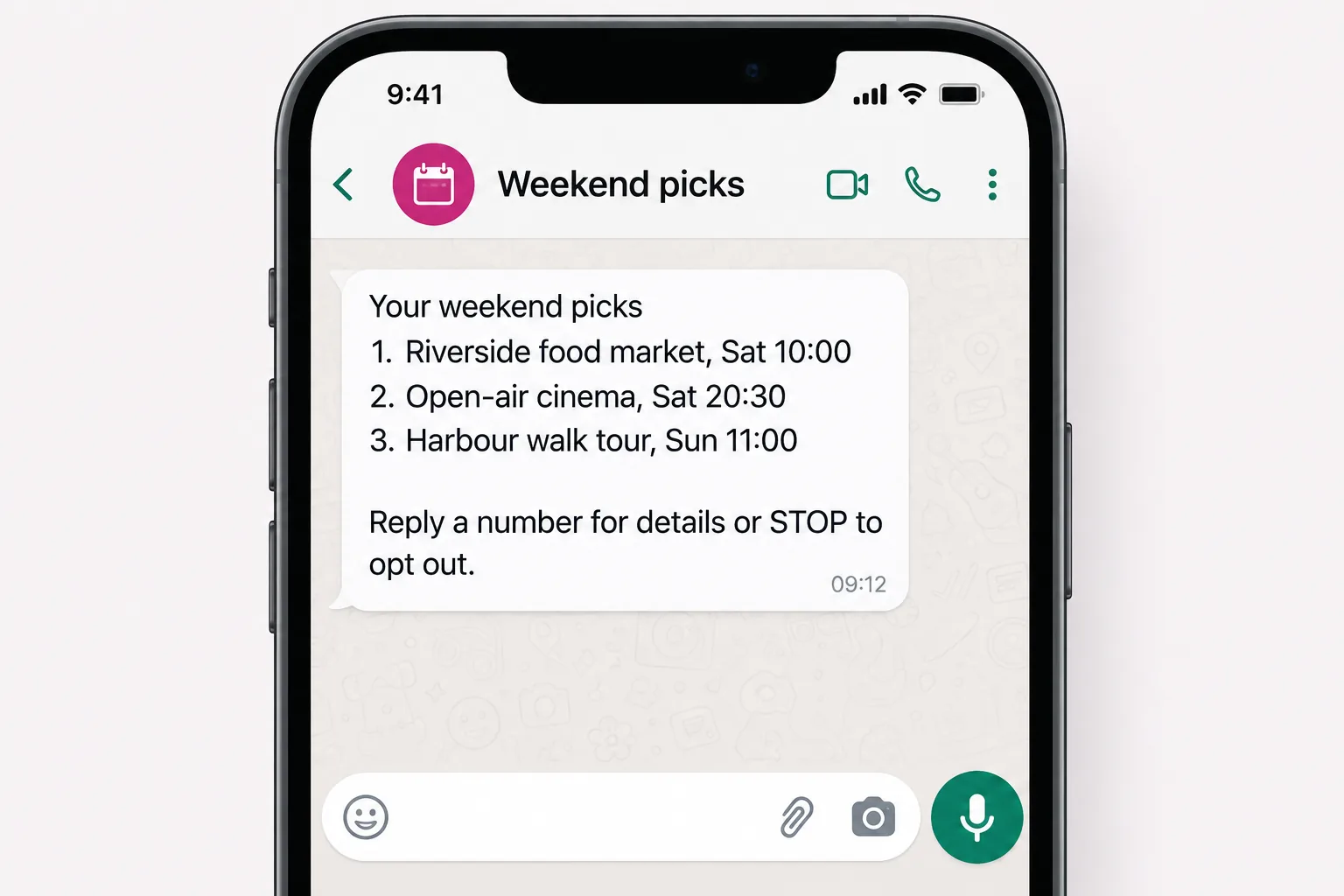
Lead with the most relevant item, keep each entry short and provide a clear way to ask for details or opt out. One useful digest is better than several fragmented alerts.
Answer against the correct snapshot
Resolve the reply to the digest and item before answering. If time-sensitive facts may have changed, call a narrow availability tool or clearly state when the data was observed.
Do not present an old event time, price or availability value as current.
Test timing, consent and load
Simulate timezone boundaries, daylight-saving changes, a withdrawn item and a scheduler retry. Load-test in batches and respect provider and workspace limits.
- One digest per period
- Opt-outs stop future jobs
- Stale facts are identified
- Batch concurrency is bounded